HAND-CRANKED FLIP MONITOR
Dwight's Desk
The assistant to the regional manager's desk in miniature. Turn the pencil sharpener's crank and twenty pictures from the show flip across his old CRT monitor, one click at a time, while his bobblehead nods on top.
Assemble
1Load the spool
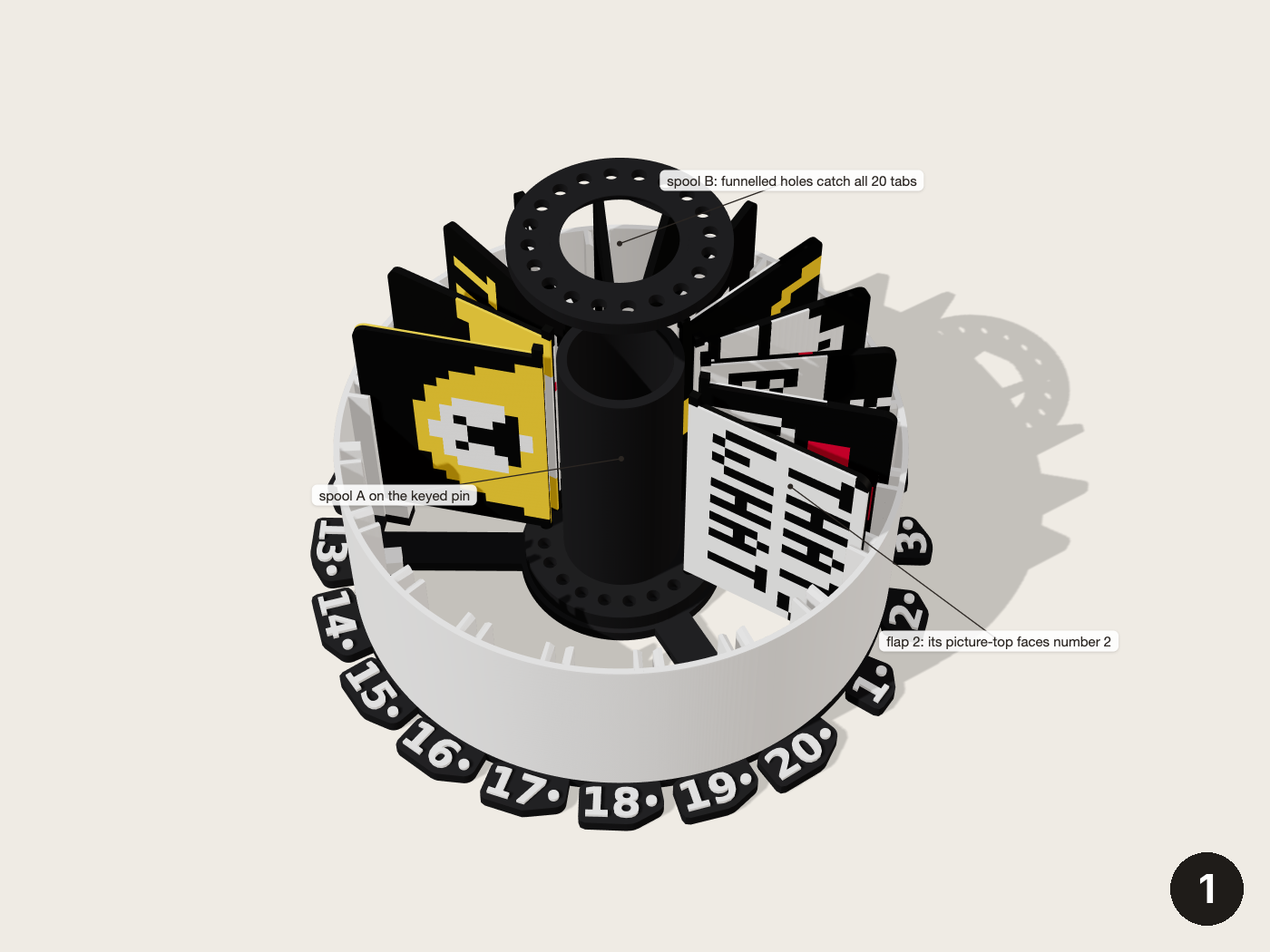
Set spool A disc-down on the loading stand's pin (plate 4). Drop flap N into the slot just right of number N, the top half of picture N facing the number. Press spool B down the tube, lip up, until it stops on the tube's end. Its funnelled holes catch all 20 tabs. Lift the loaded spool off the stand.
2Spool into the chassis
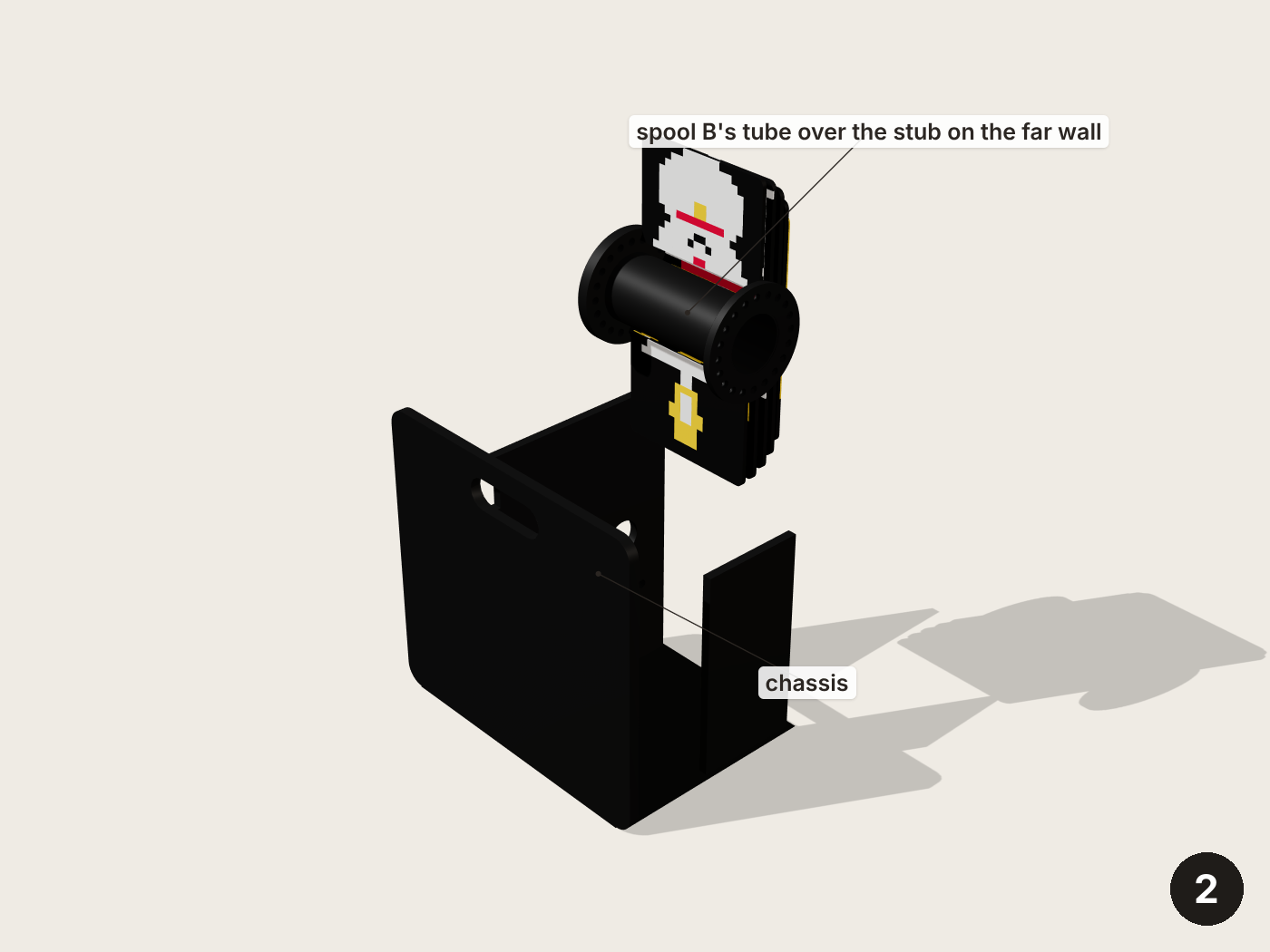
Tilt the loaded spool into the chassis: spool B's tube over the stub on the far wall, spool A at the divider's round hole.
3Axle and ratchet
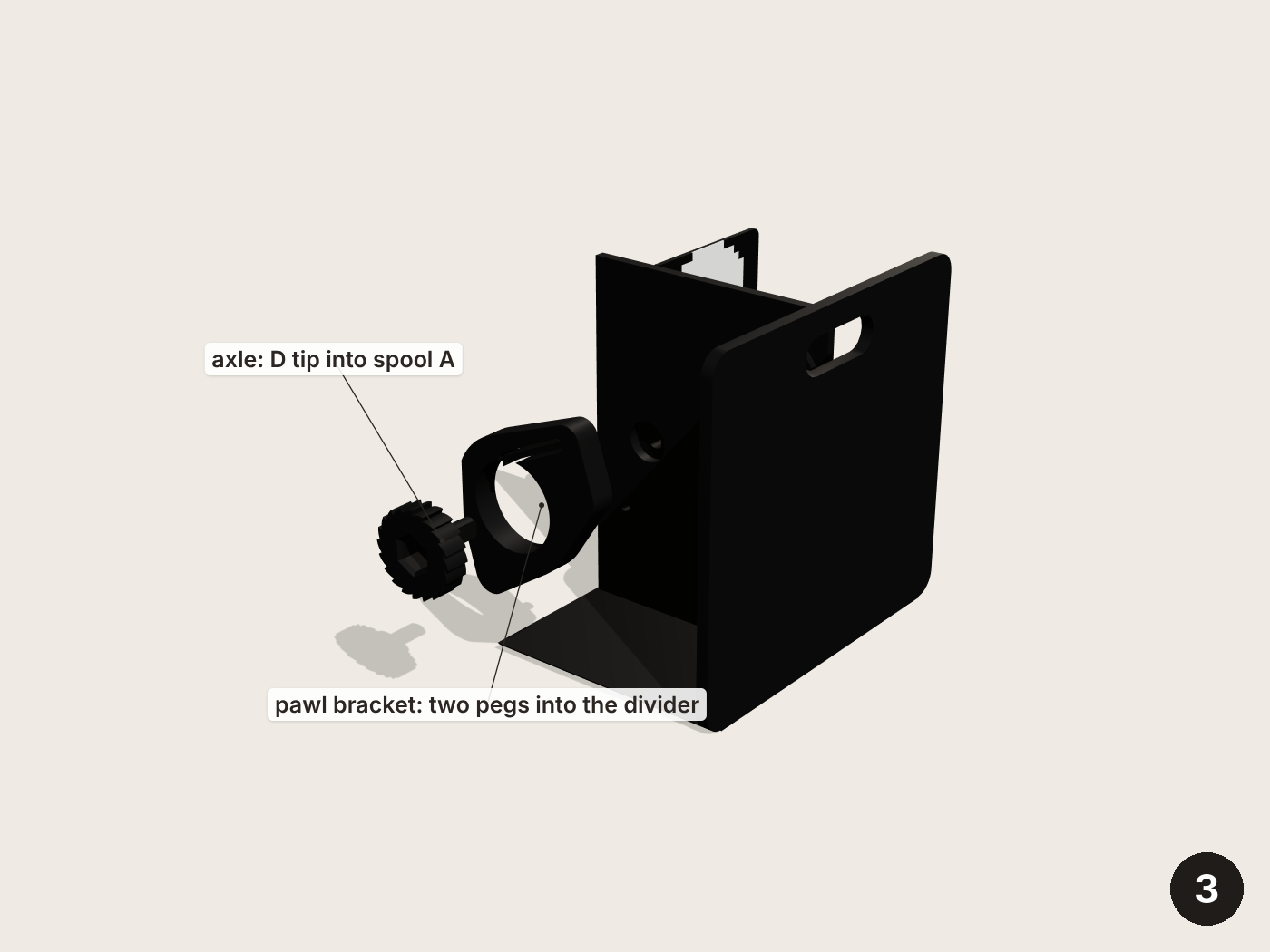
Push the axle into the pawl bracket, turning it until the teeth slip past the pawl. Feed its D-shaped tip through the divider into spool A and press the bracket's two pegs into the divider's two small holes. Turn the axle by hand: it clicks once per picture going forward and refuses to turn back.
4Into the monitor
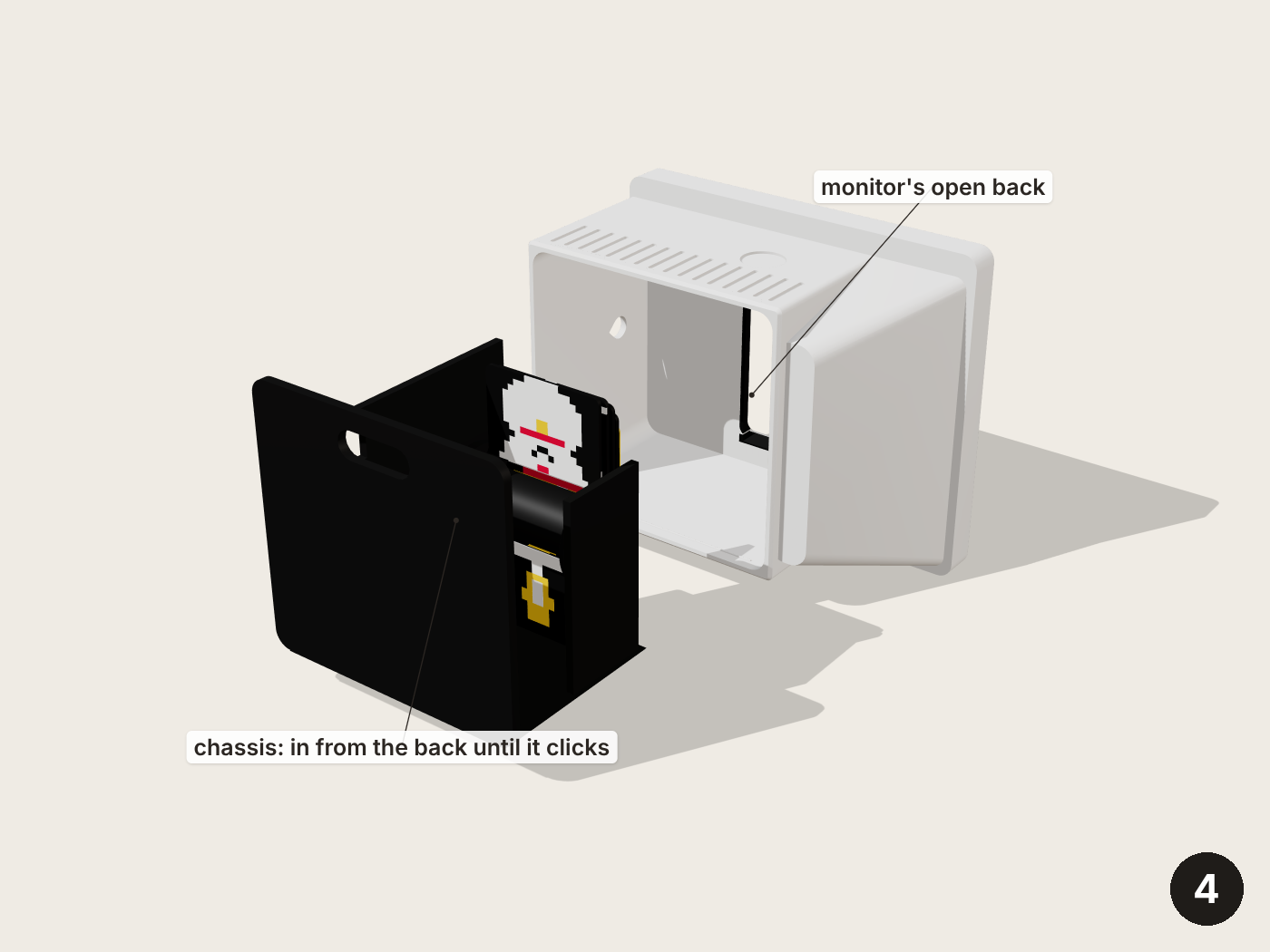
Slide the chassis into the monitor from the back until it clicks over the ridge on the floor.
5Sharpener and crank
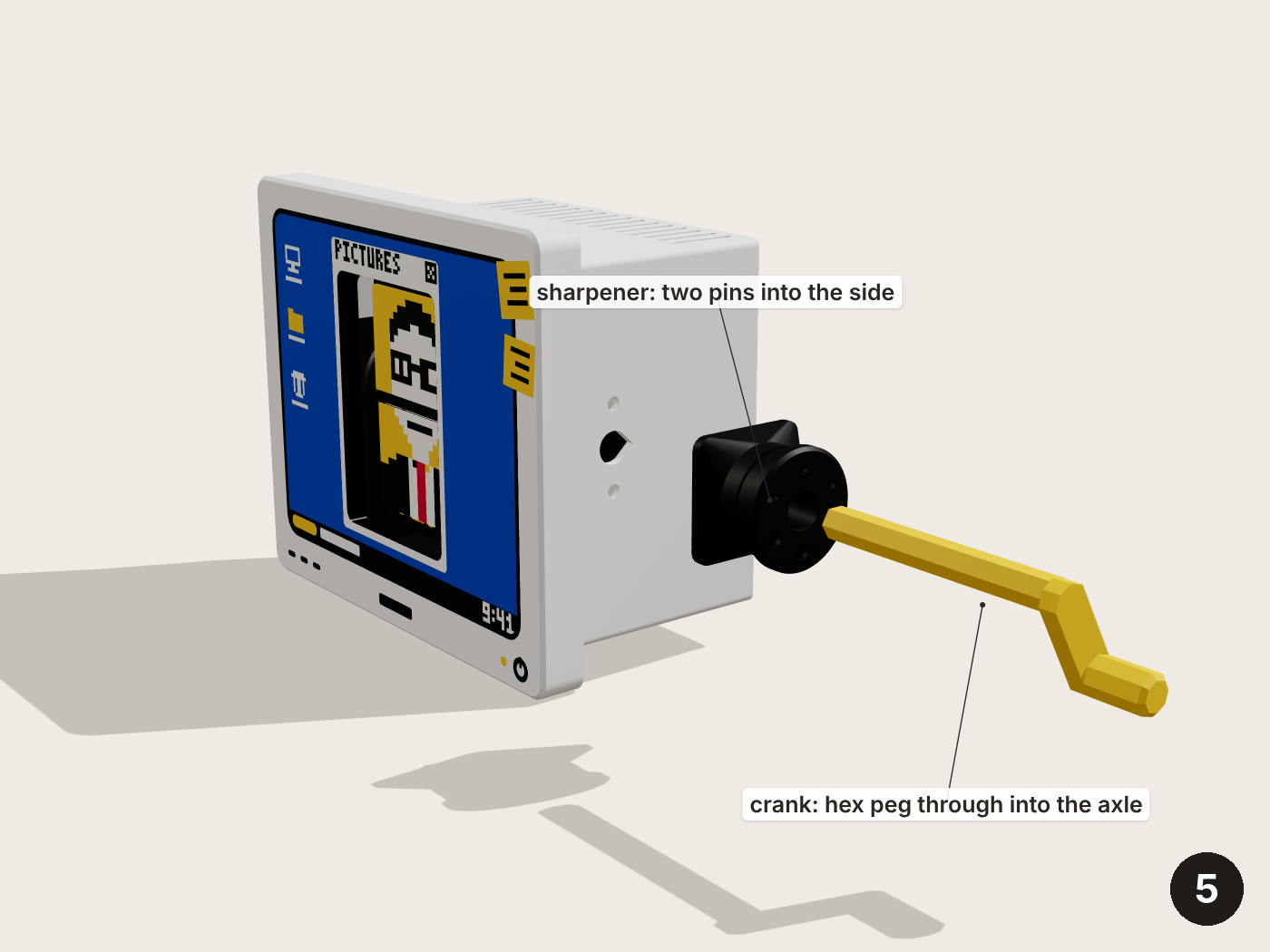
Press the pencil sharpener's two pins into the two holes in the monitor's crank side. Push the crank's long hex peg through the sharpener and the side into the axle's socket. Turn it a little until it drops home.
6Onto the desk
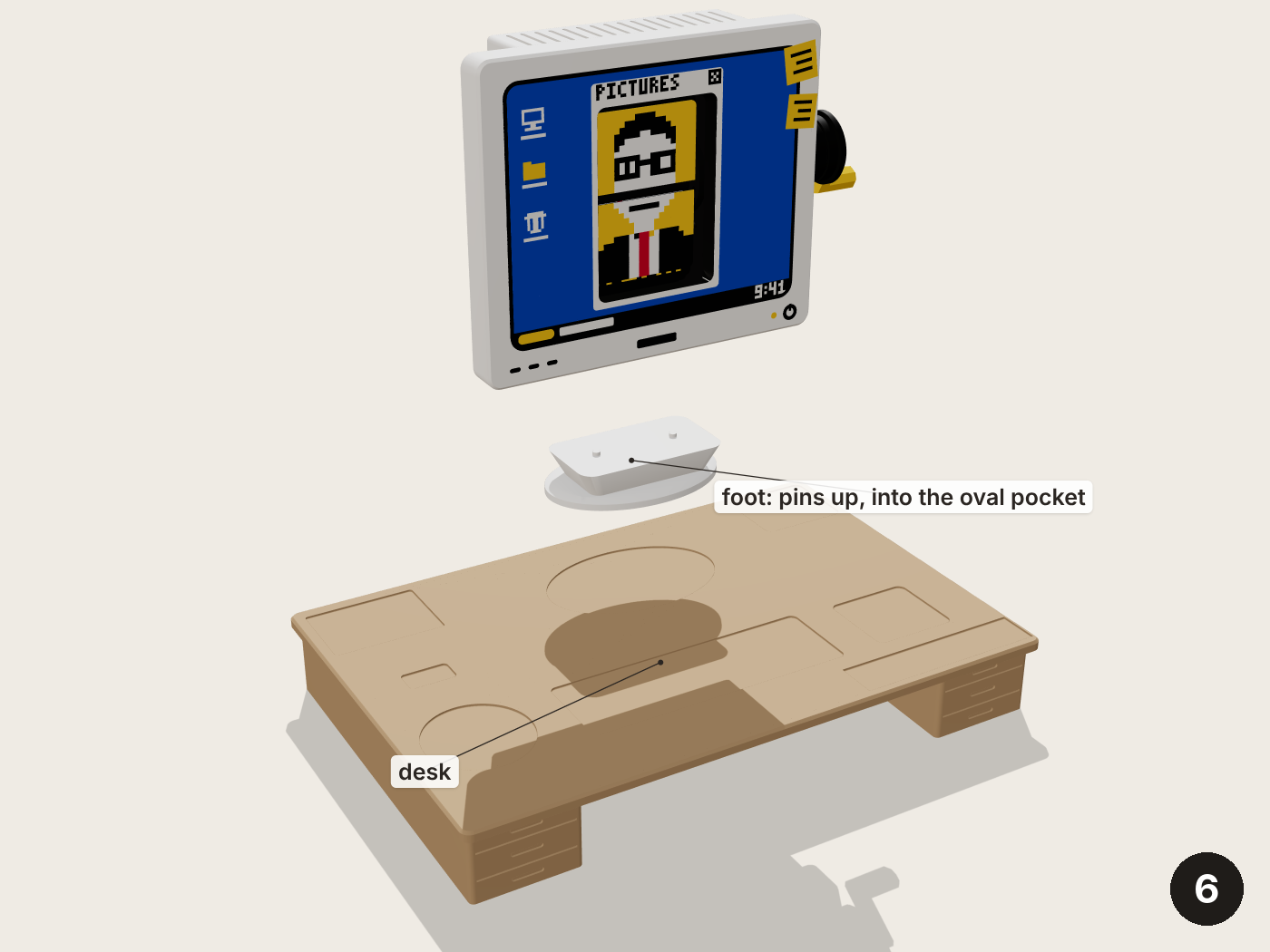
Put the foot into its oval pocket at the back of the desk, pins up. Lower the monitor onto the foot's pins until it seats.
7The bobblehead
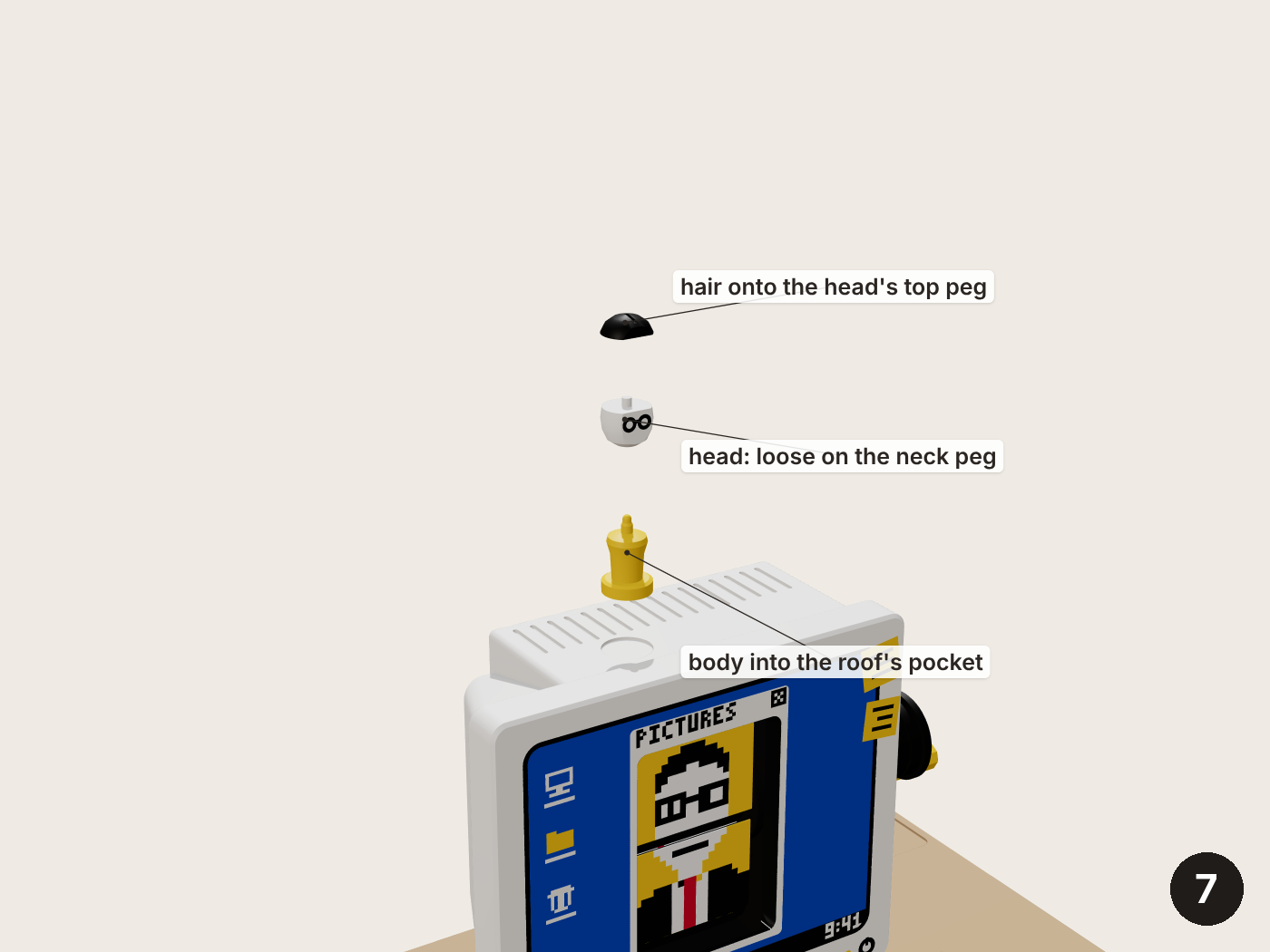
Push the hair onto the head's top peg. Rest the head loose on the body's neck peg and set the bobblehead on the monitor's roof. Tap the head: it should nod.
8Dwight's things
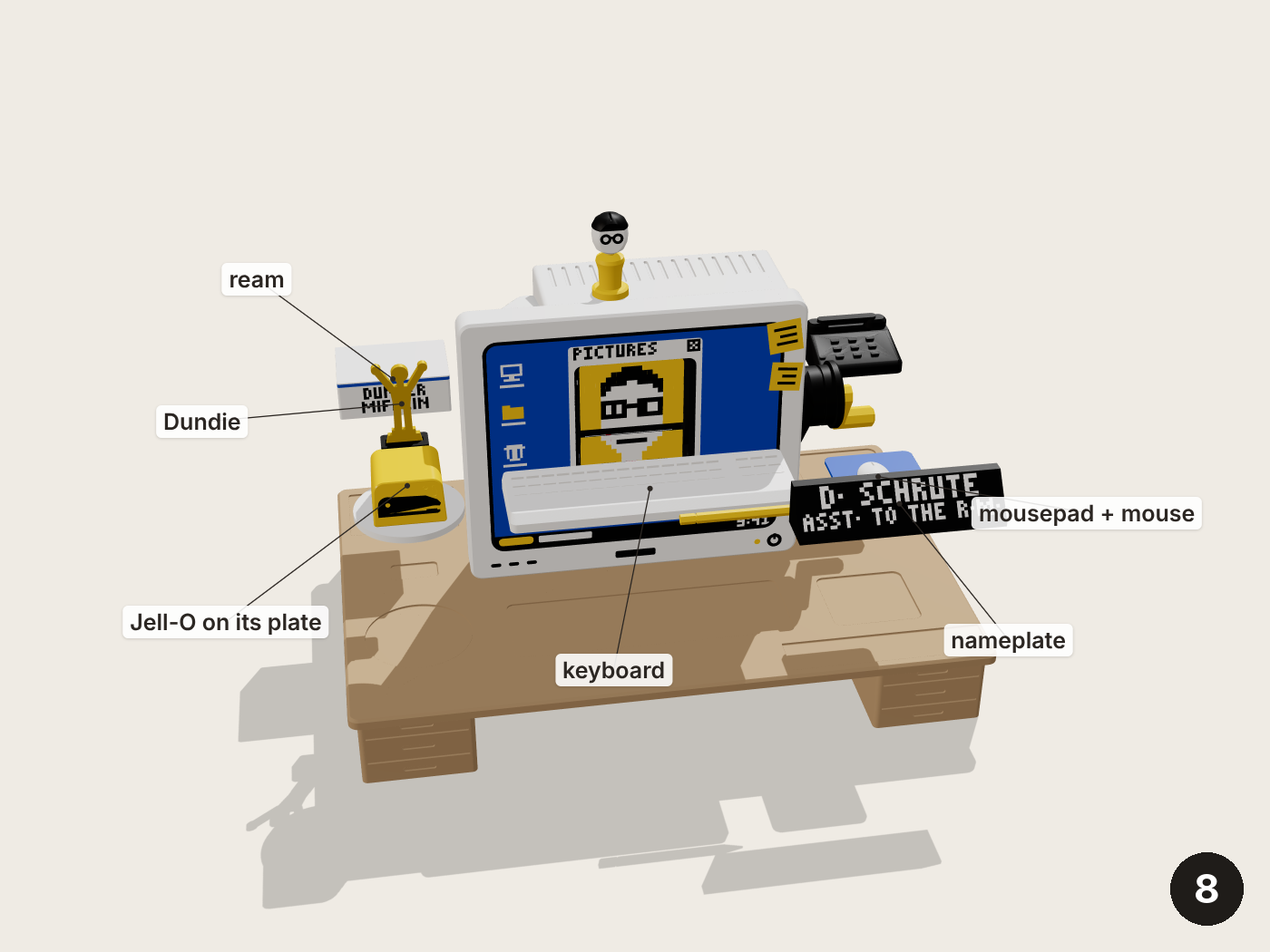
Everything sits in a shallow pocket: the keyboard in front of the monitor, the mousepad and mouse by the crank, the nameplate, phone, ream, Dundie, Jell-O stapler and pencil in their places on the desk.